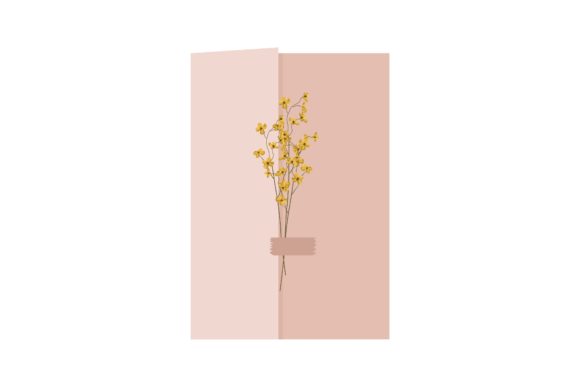
Streamline Your Wedding Suite with Vector Invitations
There is a specific moment in the wedding planning process where the abstract concept of "getting married" suddenly becomes very real: choosing the stationery. For designers and creative entrepreneurs working in this space, the pressure to deliver a cohesive, elegant, and emotionally resonant aesthetic is immense. Wedding invitation design is not just about placing text on paper; it is about setting the tone for the most important day of a couple's life. When you are tasked with creating a vintage, rustic, or classic theme, relying on rasterized images can be a nightmare. This is where the utility of a high-quality Aesthetic Wedding Invitation Vector comes into play, offering the flexibility and scalability necessary to handle complex design projects without losing image fidelity.
The Power of the Vector: Why Format Matters
In the world of graphic design, specifically regarding wedding stationery and branding, the file format you choose dictates your creative freedom. A raster image, such as a standard JPEG or low-resolution PNG, is made of pixels. If you try to scale a floral border or a monogram from a business card size to a large poster or signage, the image will blur and pixelate. This destroys the professionalism of the piece.
A vector file, however, uses mathematical equations to draw lines and curves. This means whether you are printing a tiny favor tag or a massive welcome sign for the venue, the lines remain crisp and sharp. This specific set of design assets addresses this need directly by providing six different file formats—AI, EPS, SVG, JPG, PNG, and DXF. This variety ensures that regardless of whether you are a seasoned graphic designer using Adobe Illustrator or a hobbyist using a cutting machine like a Cricut or Silhouette, you have the right tool for the job.
Beyond the Wedding: Branding and Commercial Applications
While the name suggests a singular use case, the versatility of a high-quality vector set extends far beyond a simple wedding invite. If you are a small business owner or a creative entrepreneur, the elements within this aesthetic—whether they are floral motifs, ornate borders, or elegant typography—can be repurposed to build a comprehensive brand identity.
Imagine you are launching a lifestyle brand, a photography studio, or a boutique event planning service. The visual language of romance, elegance, and timelessness is a powerful marketing tool. You can utilize these vectors to create:
- Logo Design: Extracting a specific floral element or using the stylistic flair to craft a unique wordmark.
- Packaging Design: Applying the patterns to tissue paper, box inserts, or product labels for a cohesive unboxing experience.
- Social Media Graphics: Creating consistent, on-brand templates for Instagram stories or Pinterest pins that drive engagement.
- Merchandise: Using the DXF or SVG files to cut vinyl decals for mugs, tote bags, or apparel.
The ability to edit the AI and EPS files means you can change colors to match specific hex codes, resize elements to fit editorial layouts, and combine different assets to create something entirely new. This level of customization is vital for maintaining visual consistency across all platforms.
Practical Workflow: Integrating Vectors into Your Projects
For many content creators and marketers, the technical side of design can sometimes feel like a hurdle. The goal of a resource like this is to lower that barrier to entry. The inclusion of JPG and PNG files means you can immediately drag and drop these designs into user-friendly platforms like Canva or use them as backgrounds in video editing software. However, the true value lies in the editable formats.
When working on web design or digital products, file size and load times are critical. SVG files are particularly useful here as they are lightweight and scale infinitely, making them perfect for website headers or interactive digital invitations. For print projects, the high-resolution nature of the vectors ensures that readability is never compromised, even when dealing with intricate script fonts or fine serif details.
Consider the workflow of a blogger looking to create a media kit or a lead magnet. Using these assets allows for a professional presentation that builds trust with potential clients. It signals that you care about the details, which translates to how you handle business. The "Canvas Size: 1920px X 1280px" noted in the file details provides a substantial starting point for landscape-oriented projects, ensuring you aren't starting with a tiny image that requires upscaling.
Design Principles: Making the Aesthetic Work for You
Using a pre-designed vector requires a strategic eye. Simply placing a design on a page isn't enough; it needs to serve the project's goals. When utilizing these files, keep the following principles in mind to maximize audience engagement:
- Visual Hierarchy: Use the ornate elements of the vector to frame your most important information. The eye should naturally flow from the decorative borders to the call to action or the event details.
- Color Theory: While the default aesthetic may be black and white or pastel, don't be afraid to adapt the colors to fit the season. A winter wedding might call for deep greens and golds, while a summer brand might need bright corals and teals.
- Whitespace: In modern typography and design, what you leave out is as important as what you put in. Ensure the vector elements don't crowd the text. Let the design breathe to maintain elegance and readability.
Ultimately, the right design asset saves you time and elevates your output. Whether you are a designer building a portfolio, a marketer crafting a campaign, or a hobbyist